To import Facebook DMs, first create a new Meta application:
https://developers.facebook.com/apps/
When creating the app, select the Messenger and WhatsApp use cases.
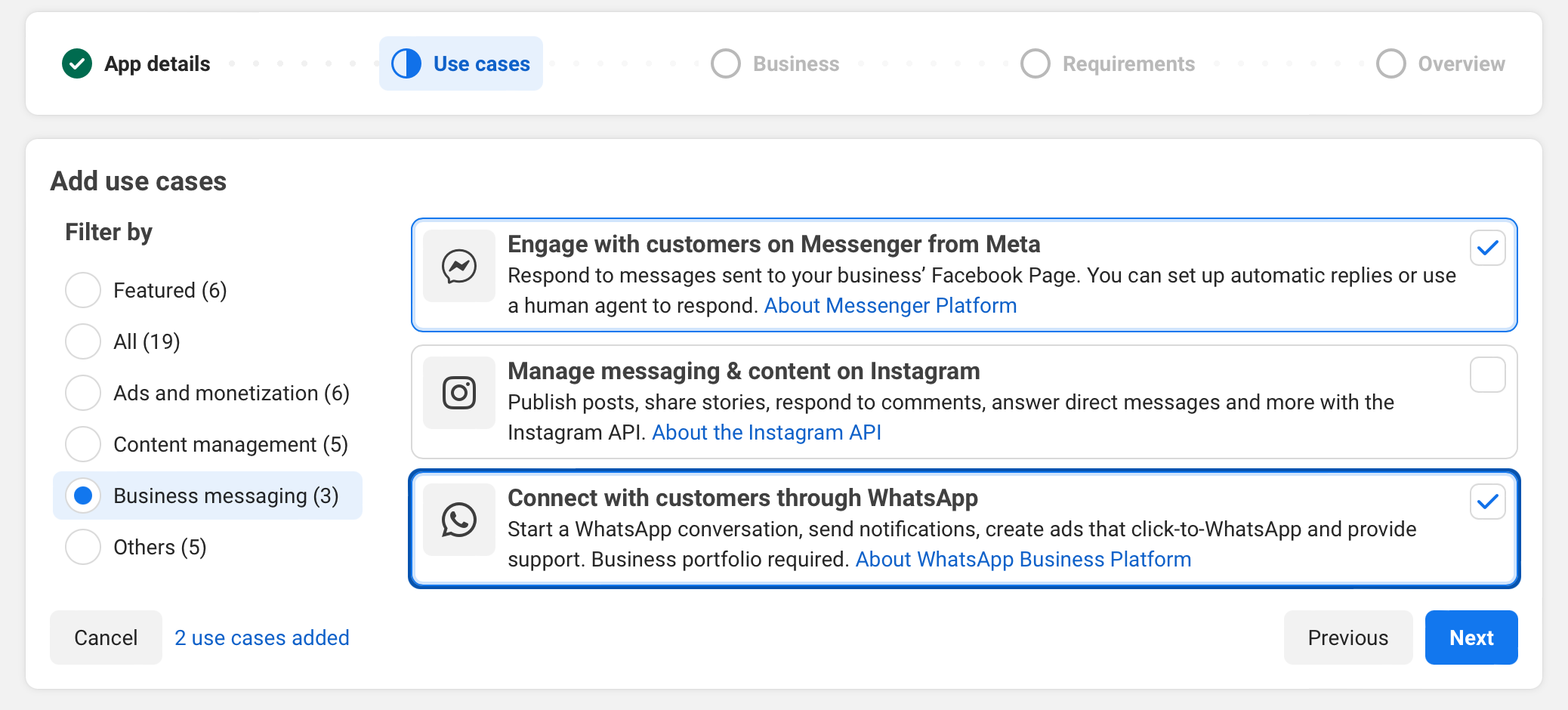
Then select Engage with customers on Messenger from Meta.
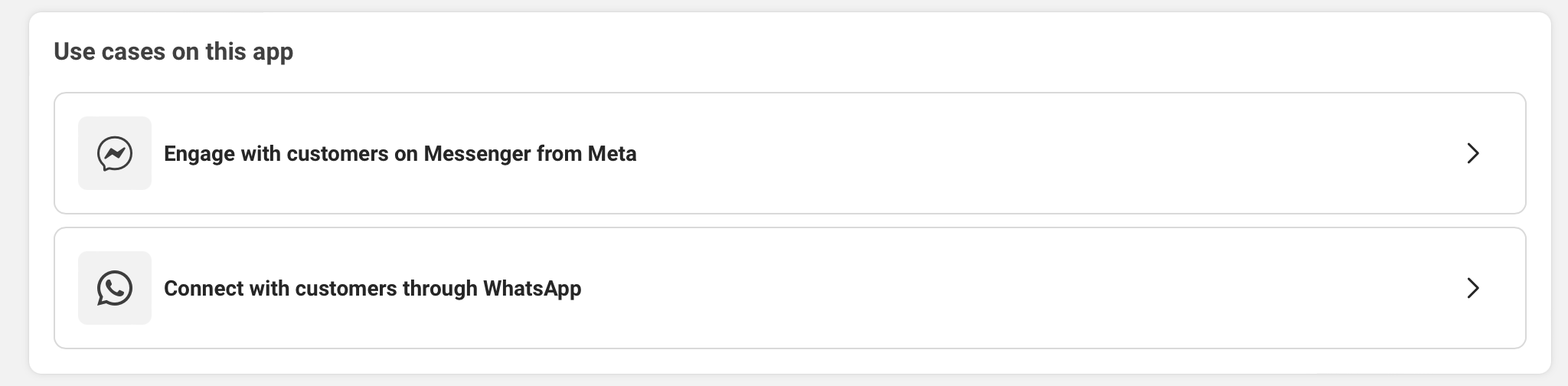
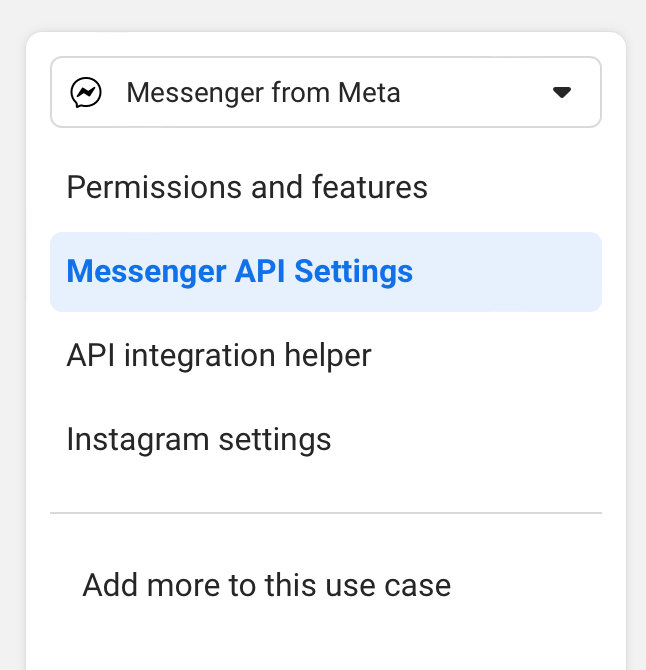
Configure Messenger Webhook
Open Messenger API Settings.
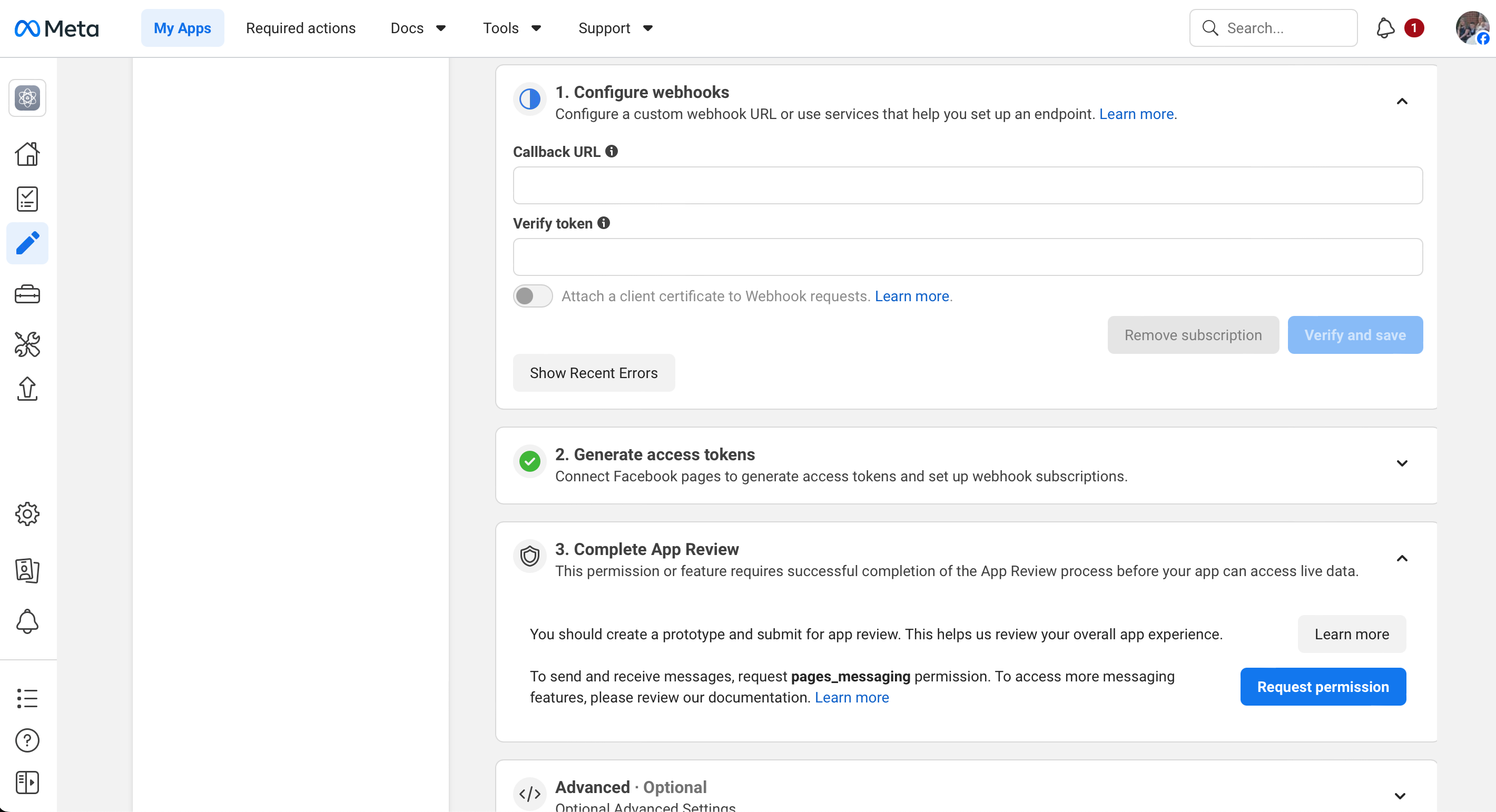
Enter the following webhook details:
Callback URL:
https://support.yourdomain.com/api/webhooks/social/facebook
Verify Token:
Enter a random token. This token must exactly match the verify token configured in Ticaga.
Configure Ticaga
In Ticaga, go to:
Administration > General Settings > Social Import > Facebook
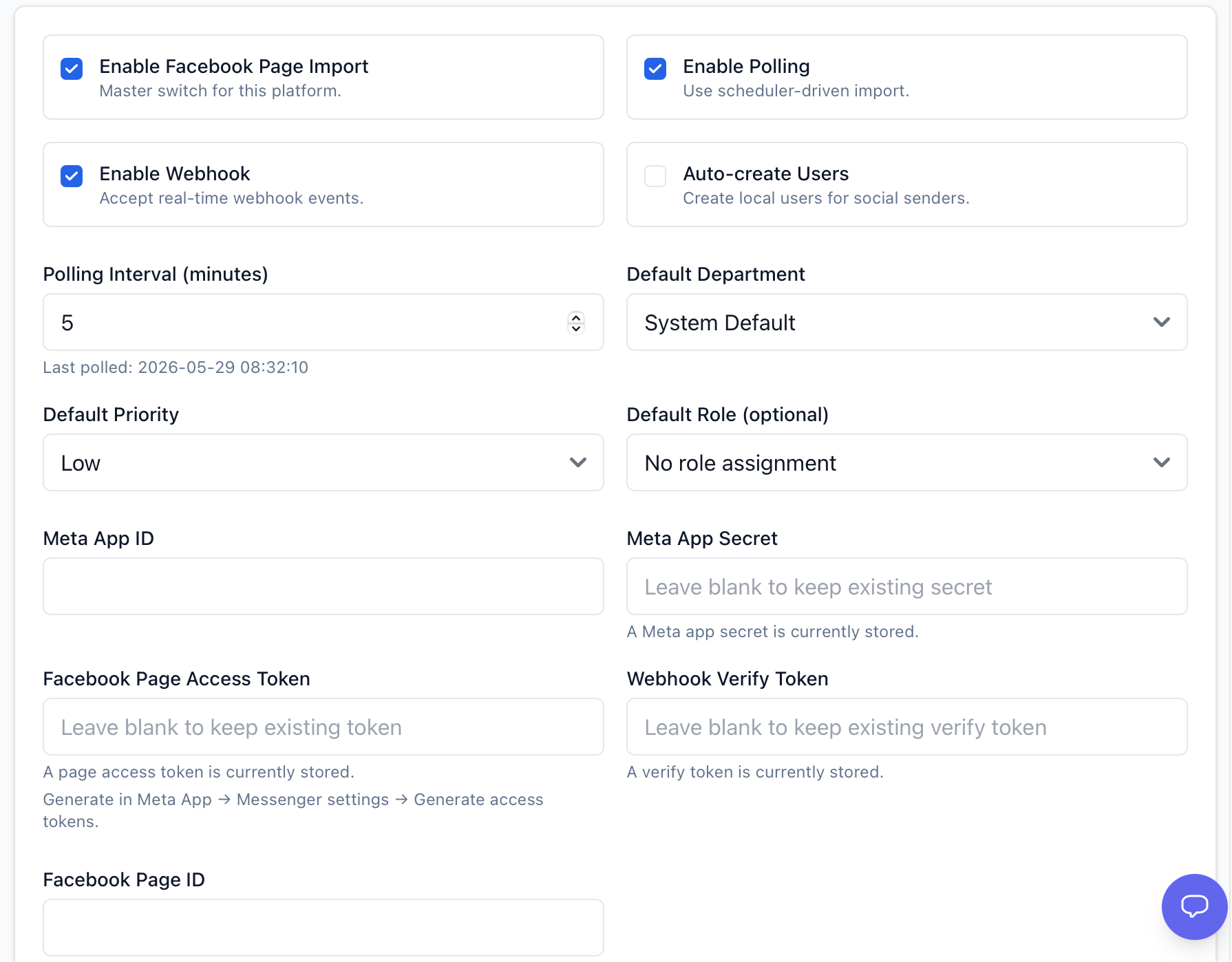
Enter the following details:
Meta App ID: Your Meta App ID
Meta App Secret: Your Meta App Secret
You can find these in the Meta app under:
App Settings > Basic

Generate Facebook Page Access Token
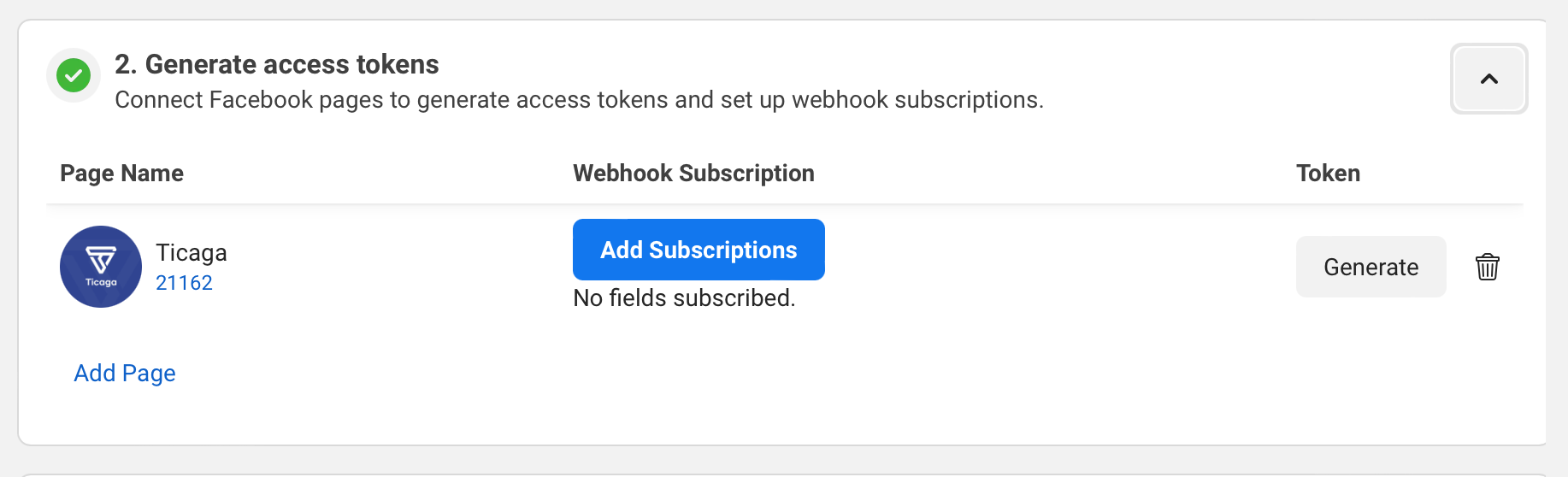
To get the Facebook Page Access Token, return to Messenger API Setup in Facebook Developers.
Click Generate next to the relevant Facebook page, then copy the full generated token into the Facebook Page Access Token field in Ticaga.
The number shown under the page name, for example 21162****, is the Facebook Page ID.
Subscribe to Webhook Messages
Before Ticaga can receive Facebook DMs as tickets, return to Configure Webhooks in the Meta app.
Under Webhook Fields, subscribe to:
messages
