
Posted by Michael Dance on July 26, 2026 12:18
Version 2.6.0 brings two major upgrades to how employees write and respond to tickets: a unified markdown editor with live preview, and AI-suggested replies powered by Astrid.
Every reply box across Ticaga — tickets, forum posts, announcements, internal conversations — now uses a unified Write/Preview markdown editor with a proper formatting toolbar.

Text formatting Bold, italic, underline, strikethrough, and a "hidden until clicked" spoiler tag.
Structure Heading levels (H1–H3), bullet lists, numbered lists, and blockquotes.
Code Inline code and fenced code blocks.
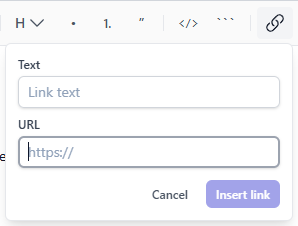
Links, images & attachments Insert links with a text/URL popover, upload images inline, or attach files directly — all virus-scanned on upload.
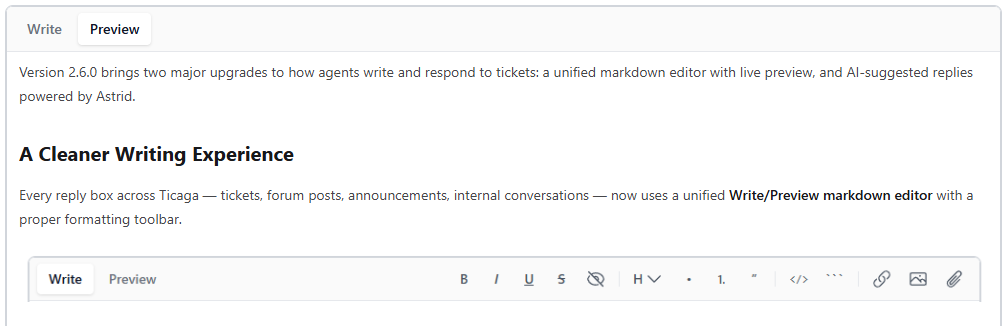
Live preview Switch to the Preview tab to see exactly how the rendered message will look before sending.
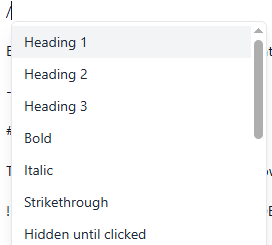
Slash commands & @mentions
Type / for quick-insert commands or @ to mention a user, with a caret-anchored autocomplete menu.
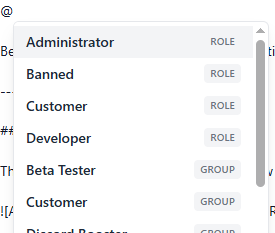
Because it's one shared component, formatting now behaves identically everywhere you write in Ticaga.
The AI support assistant, Astrid, can now draft ticket replies for your employees to review before sending.
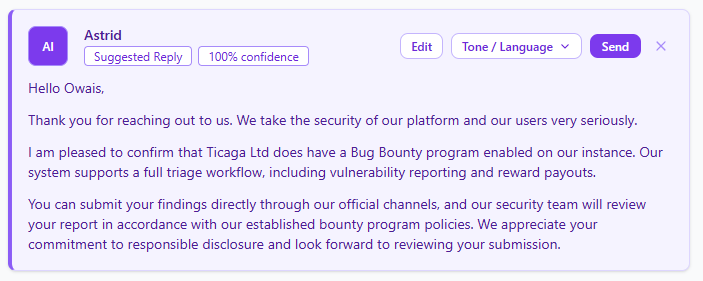
Suggest Reply Generates a draft response based on the ticket context, approved response templates, and knowledge base articles.
Confidence score Each suggestion shows a confidence percentage so agents know how much to trust it before sending.
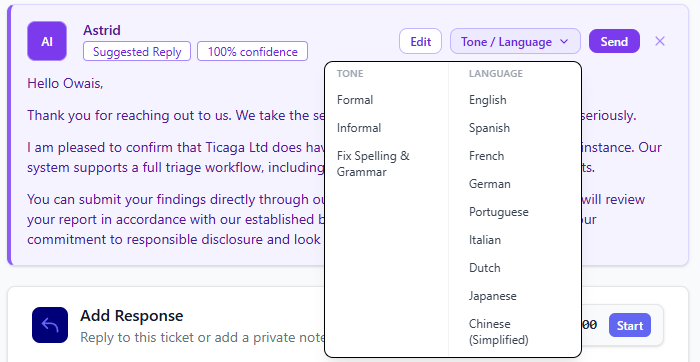
Tone & language control Rewrite the draft in a formal or informal tone, or translate it into another language, all without leaving the reply box.
Edit before sending Tweak Astrid's draft directly, or send it as-is.
Dismiss Discard the suggestion entirely if it's not useful.
Have feedback on either feature? Let us know — this is just the start for how Astrid helps your team respond faster.
