
 Log in
Posted by Michael Dance on October 26, 2026 23:04
We hope your Ticaga installation runs smoothly, but when you need our help, you won't have to share your passwords or create an administrator account for us.
You don't need to share passwords, all you need to do is upload our extension "Ticaga Support Access".
Once you've installed the extension, navigate to Administration and then "Ticaga Support Access". You'll see something like this:
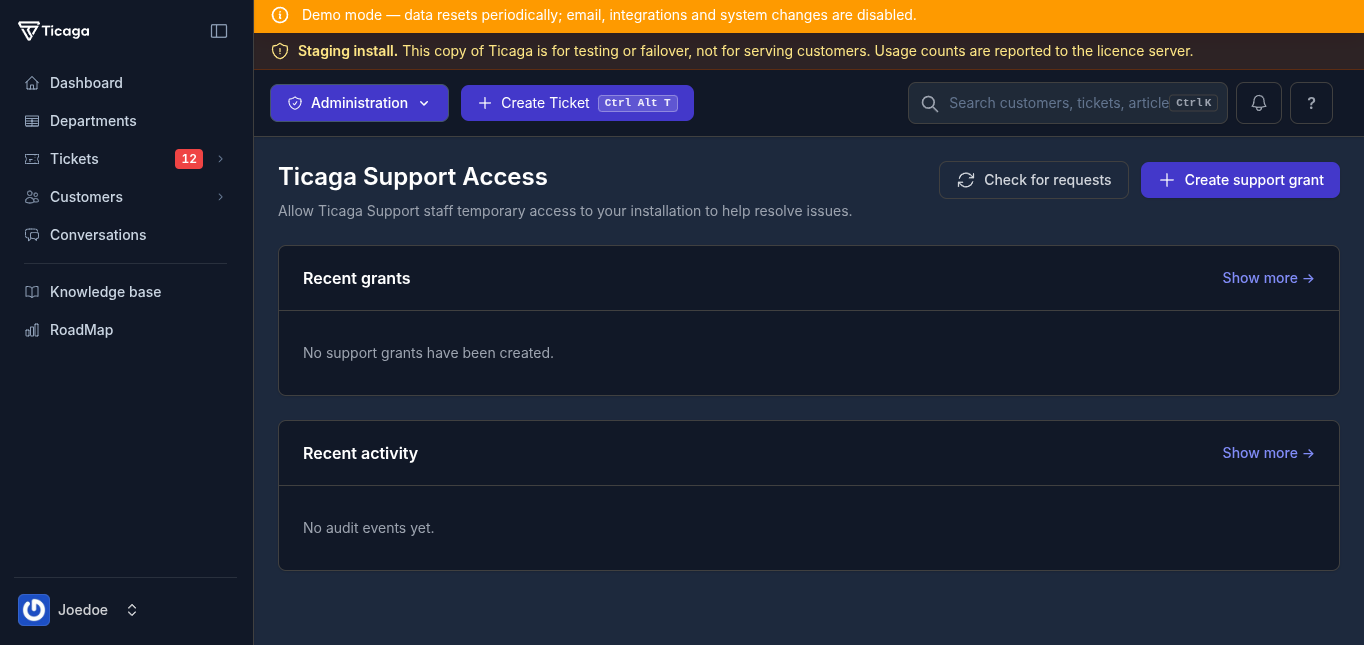
Clicking on "Create support grant" shows the form you'll need to fill in to get support:
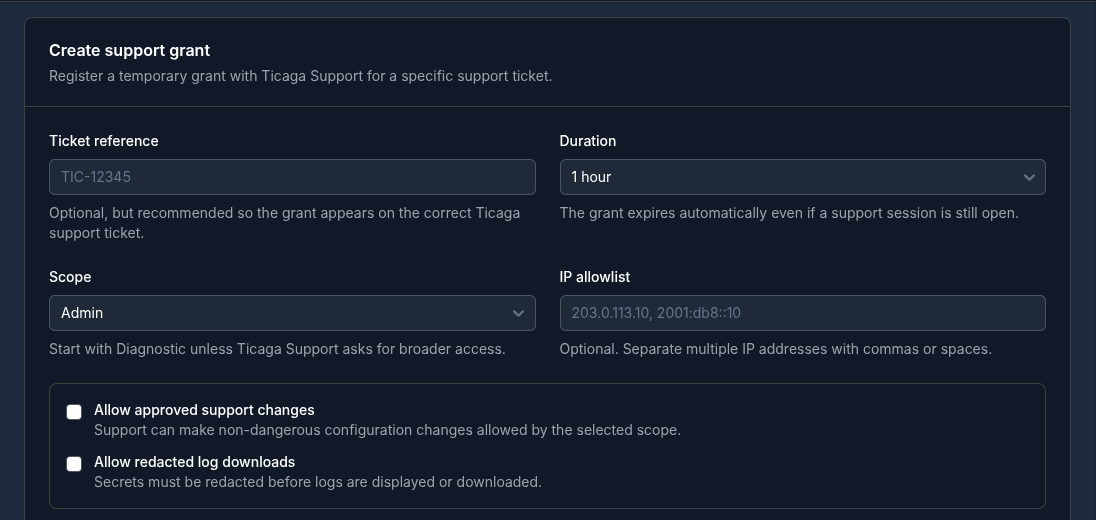
Fill in the Support ticket to link the access grant up with the ticket you're asking for support with. If you don't have a ticket, simply skip that and fill in the duration and scope. If you would like us to be able to take control of your installation to diagnose or fix the issue so you don't need to you can enable the "Allow approved support changes" feature.
You’ll be asked to enter your installation password to authorize the grant. Enter it only in your own installation; never send it to us in a ticket or chat. You’ll then see a confirmation:
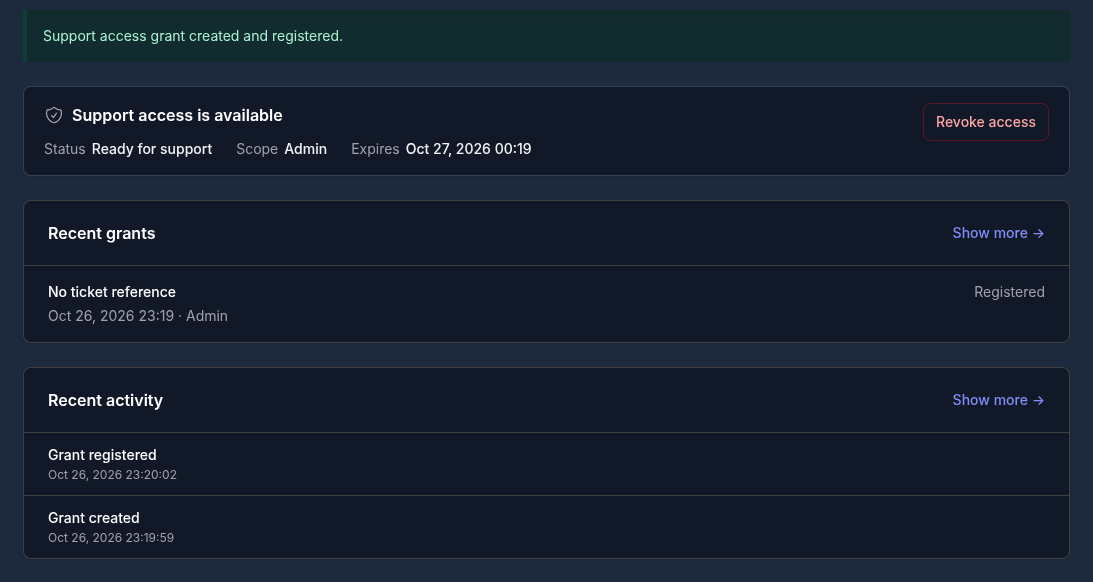
Now that you've activated the support request, our team can view this:

Our team can then securely access your installation:
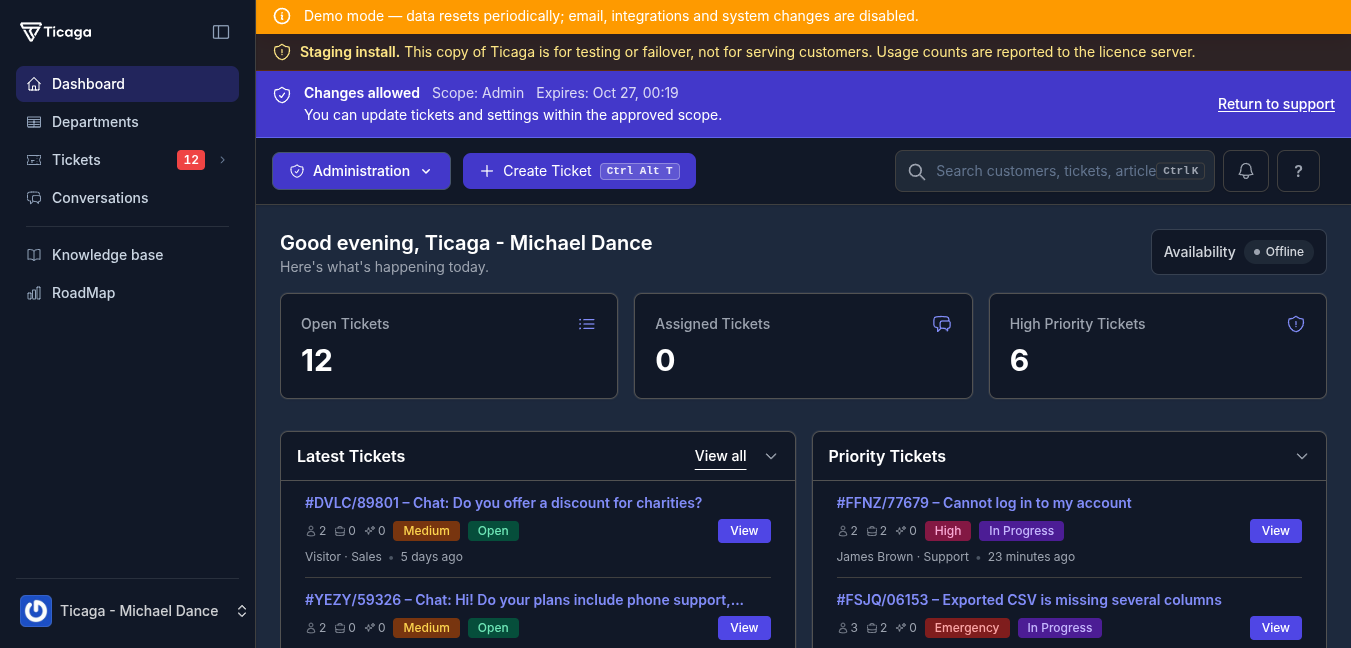
You can also see a member of our team is accessing your installation and you can revoke help at any time. You stay in control.
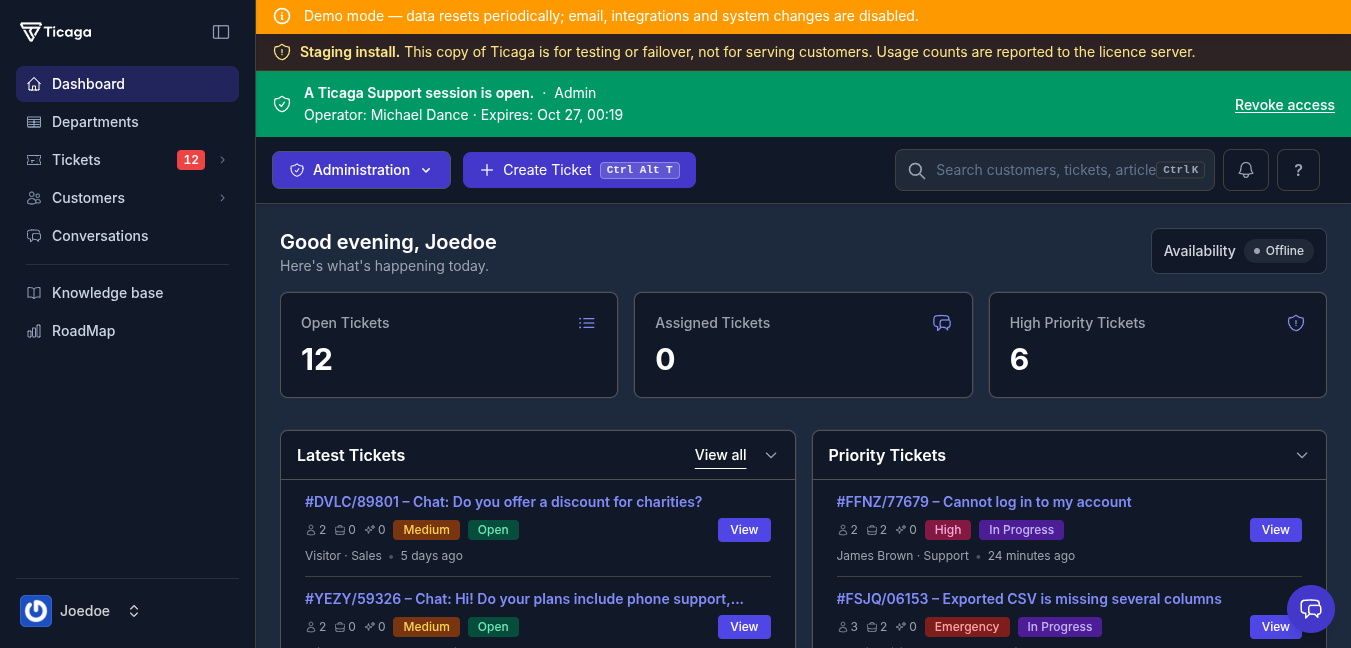
This means you get assistance when you need it, without any password sharing, no forgotten administrator accounts and with ease. If you would like to talk to our employee you can use the live chat pop up window:
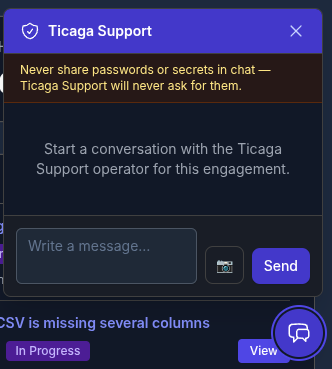
And you can share screenshots of the browser too by clicking the camera icon.
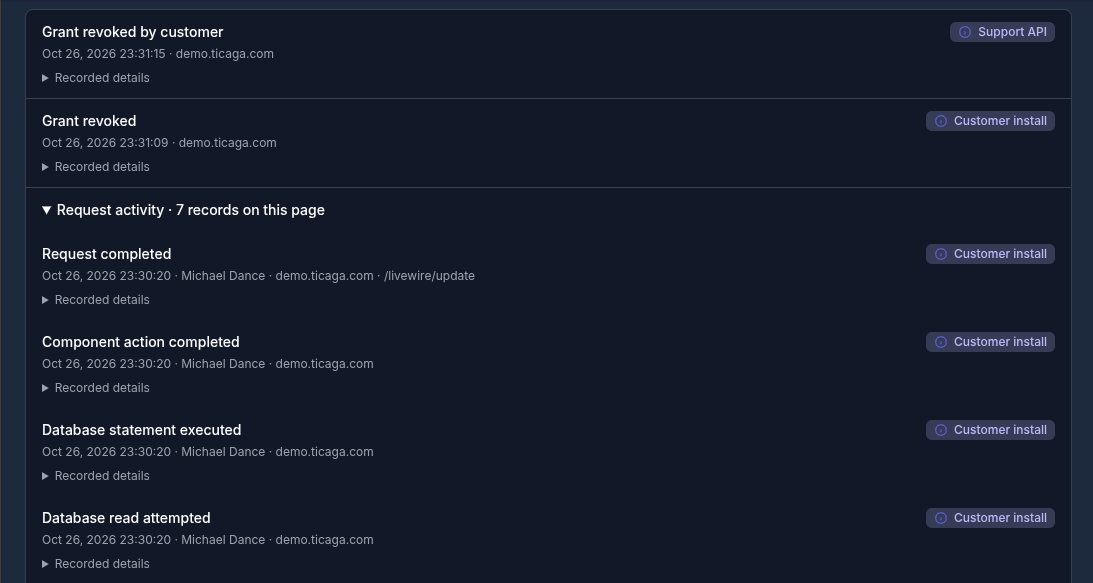
For accountability, support actions are recorded in the audit log:
Disclaimer:
Your customers' privacy remains important to us. When our support team accesses your Ticaga installation, customer profiles and personal details are hidden from view. Customer names may still appear on support tickets to provide the context needed to investigate issues. All access remains subject to the permissions and duration you've approved.
