
Posted by Michael Dance on March 15, 2026 21:52
Every support team works differently, and that is exactly why we've built the Custom Fields Extension for Ticaga.
Sometimes a standard ticket form is not enough. You might need to collect a service ID, a billing reference, a hostname, onboarding details, secure access information, or anything else that matters to your workflow. Instead of forcing that into ticket replies or internal notes, Custom Fields gives it a proper place.
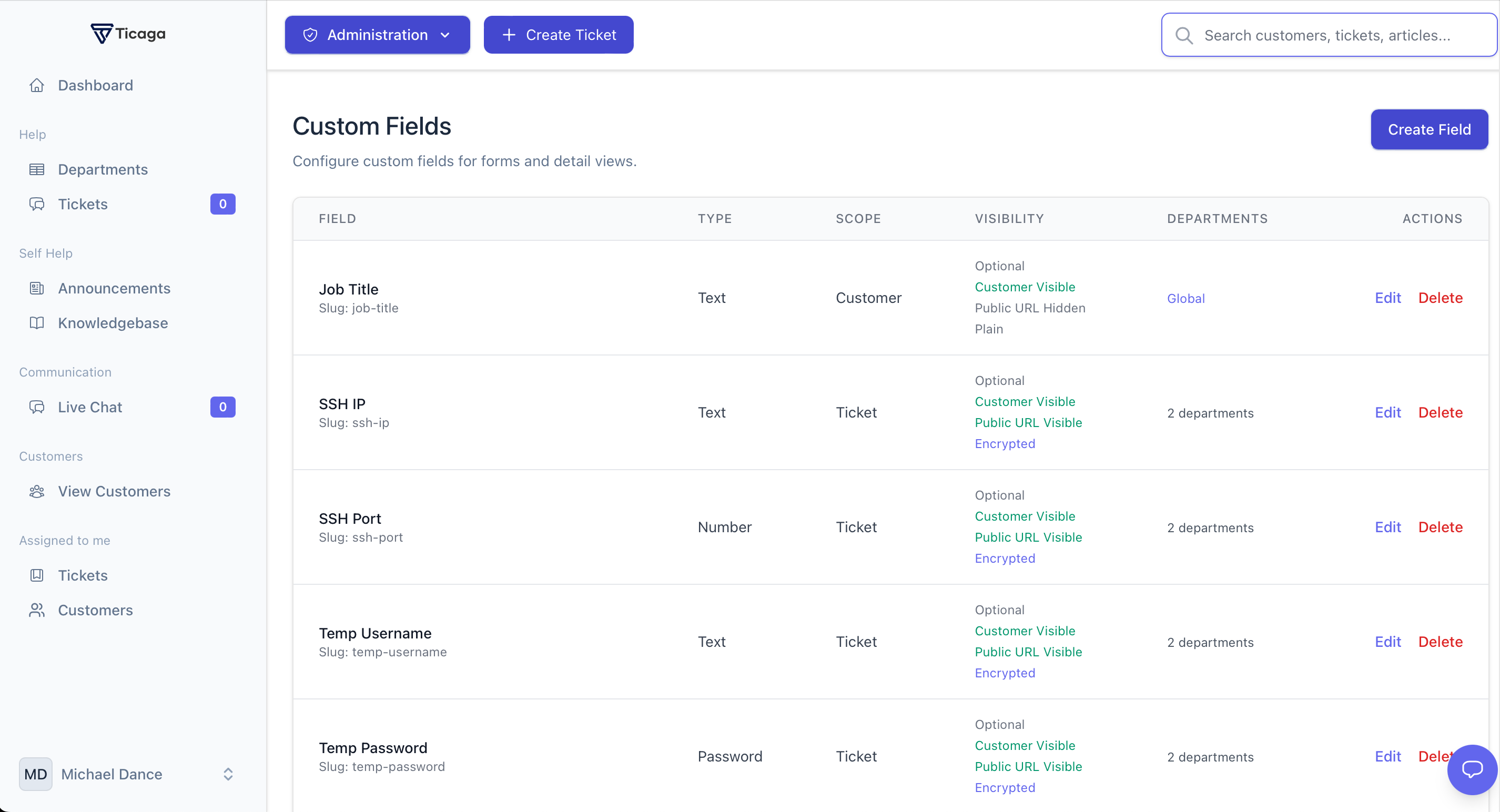
With the Custom Fields Extension, you can build ticket forms around the way your business actually works. You can create text fields, dropdowns, dates, URLs, checkboxes, multi-select options, and even password-style fields for sensitive information. That means cleaner tickets, better context for your staff, and less back and forth with customers.
What makes this even better is the control it gives you. Fields can be global or department-specific. You can also choose which fields are visible to customers, which can appear on public ticket views, and which should stay internal.
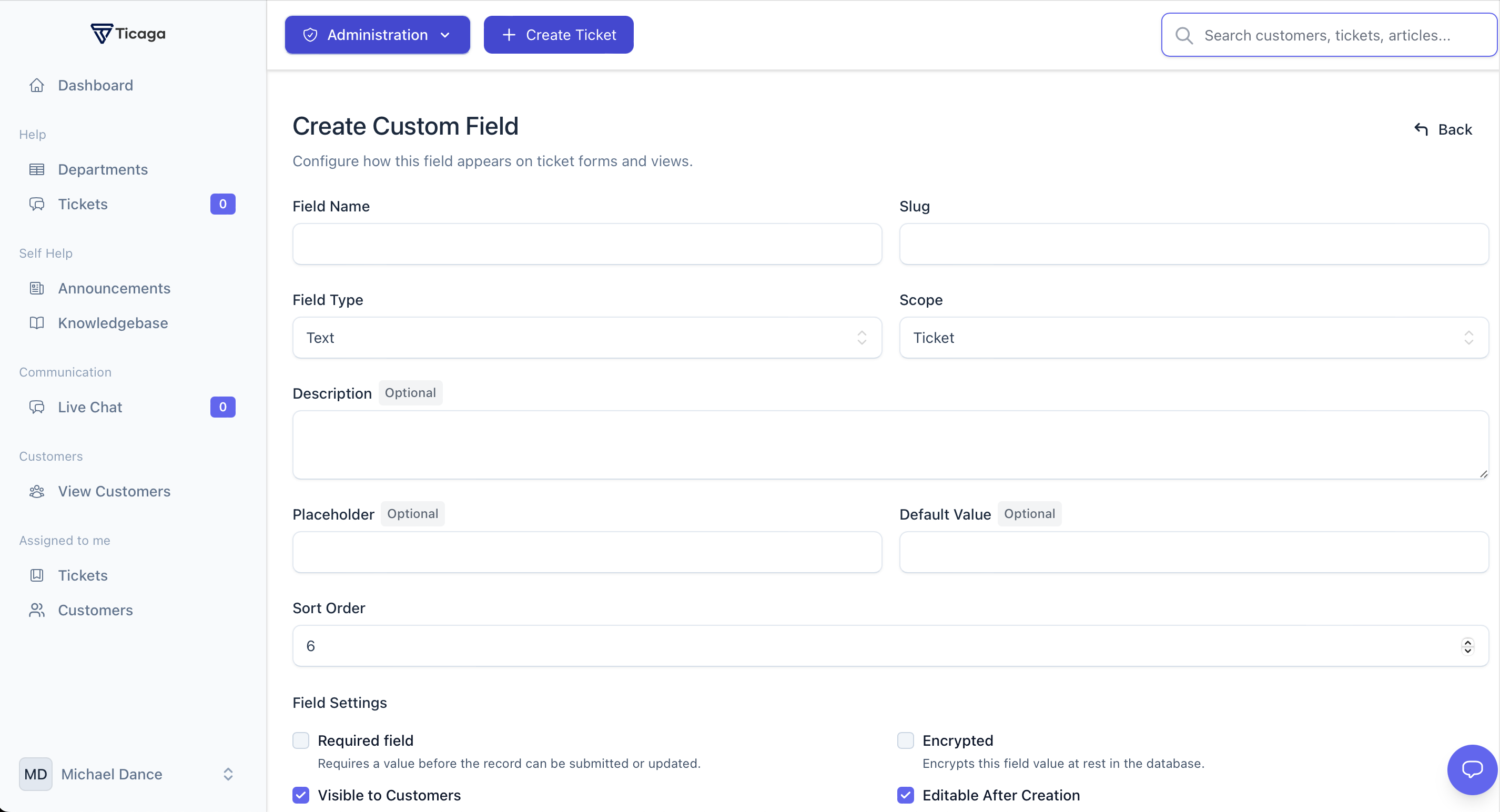
Security was also important to us when building this extension. Sensitive values can be encrypted. For teams handling temporary or private information, field values can be removed when a ticket is closed or viewed by staff.
This is not just about adding more fields. It is about giving support teams more structure, more flexibility, and a better way to capture the information that actually matters.
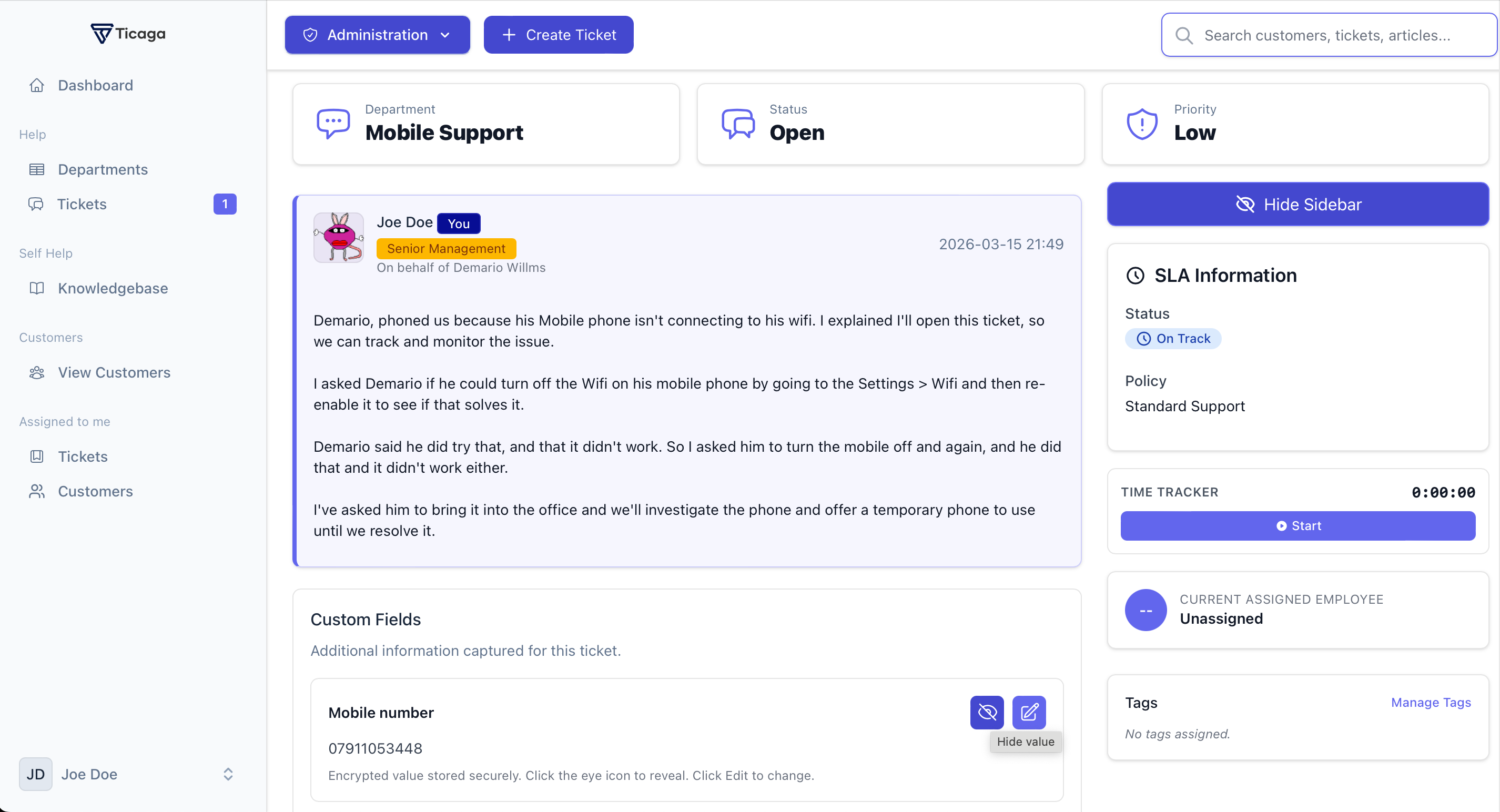
The Custom Fields Extension makes Ticaga more adaptable, more professional, and far more powerful for real-world support workflows.
If your team needs more than a simple ticket form, this extension was built for you.
