

You can automatically close tickets that have been waiting for a customer response for more than two days by configuring the relevant department.
Open the department settings and enable the automatic ticket closure option.

Set the closure period to 2 days, then select the ticket priorities that should be included.
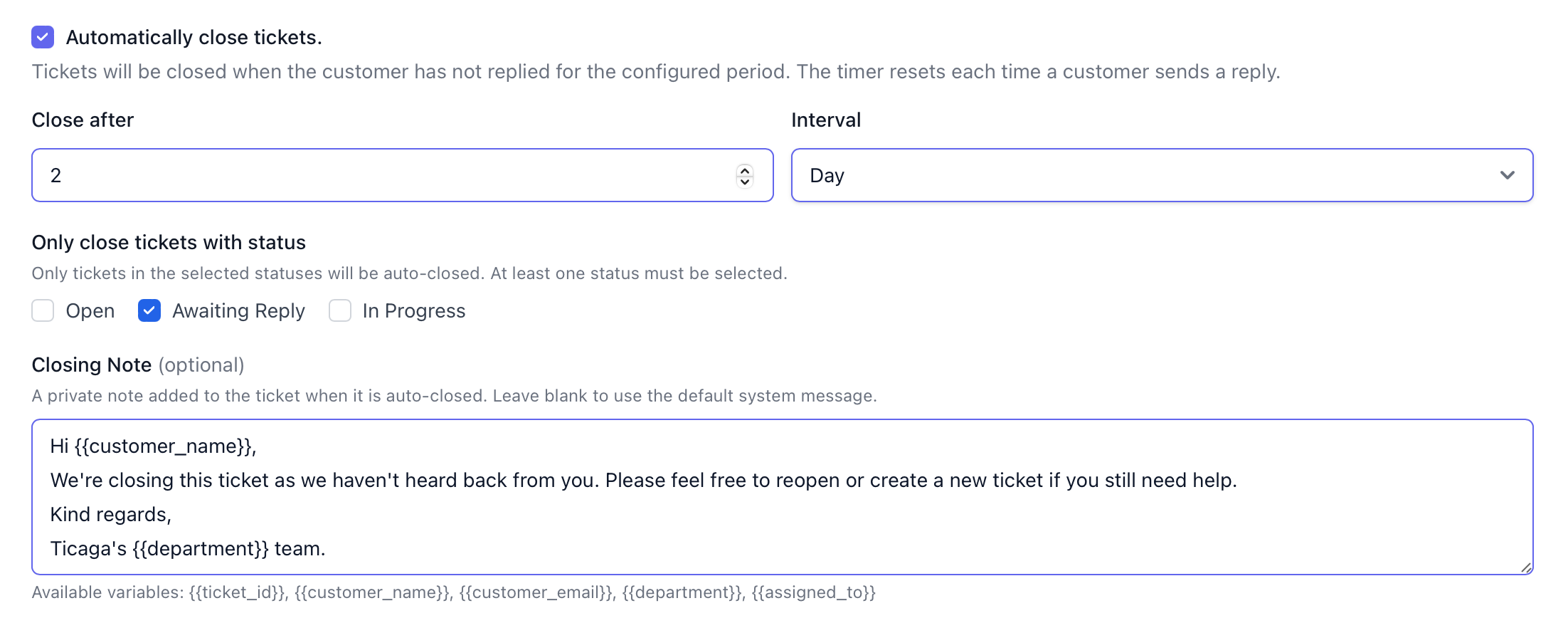
You can also add a custom closure message to inform customers that their ticket was closed automatically because no reply was received within the specified period.

Author
Michael Dance
My name is Michael and I'm the Owner and founder of Ticaga Ltd.
Feedback loop
1 out of 1 readers found this useful.
Article snapshot
Follow this guide to sync your Account Manager appointments with the Calendar app on your iPhone. 1. Find your CalDAV details In Ticaga, open t...
This guide explains how to deploy a new Ticaga installation with Docker Compose. The supplied deployment runs the web application, background worker,...
Firstly you want to select Departments on the left hand navigation. You will see this page, we've already created a Sales department. In this...